Integrations
Integrate remberg with your IT and software
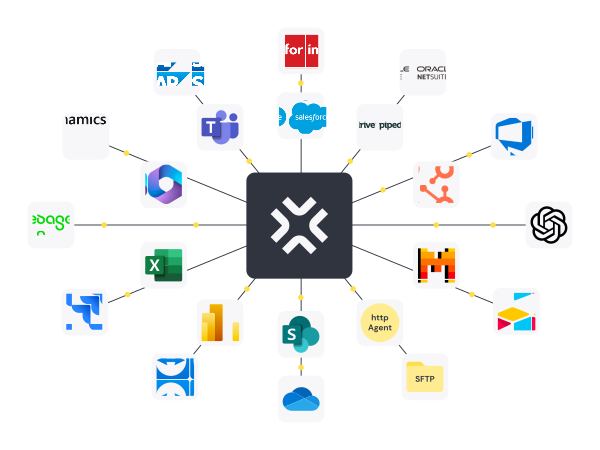
With the remberg, the intelligent maintenance software, you can seamlessly connect your maintenance operations with SAP & co. This way, you keep all processes and master data in one place – no duplicate entries, no media disruptions, but with mobile apps, AI support, and a user interface your team will love!


Trusted by leading industrial companies





Bridge the gap between enterprise IT and modern maintenance
ERPs are a core part of enterprise IT. But applying maintenance processes through them is cumbersome. remberg connects both worlds while keeping the needs of technical teams in focus.
Mobile maintenance meets SAP – easily combined
With remberg, you bring your maintenance operations straight to smartphones or tablets – including AI support for checklists, documentation, and troubleshooting. And the best part: thanks to the SAP integration, all data stays in sync. Work orders, feedback, or spare parts flow automatically between both systems – with no double data entry. This way, you combine modern, mobile maintenance with your company’s IT structure.


Seamless integration with SAP
Integrate your maintenance processes directly into SAP PM/EAM and other ERP systems. Master data, work orders, and feedback are automatically synchronized – without duplicate data management. This lets you leverage the stability and governance of your SAP landscape while benefiting from the simplicity, mobility, and efficiency of the remberg maintenance software.
All about APIs: the remberg Developers Hub
In the remberg Developers Hub, you'll find everything your IT team needs for connecting and integrating systems: clearly documented REST APIs, webhooks, data models, and sample workflows. This way, your team can get started right away – building custom interfaces or integrating existing systems.

remberg is an SAP Silver Partner
As an SAP Silver Partner, remberg is officially recognized by SAP as a qualified technology partner. This means we meet defined quality standards, bring extensive expertise in integrating with SAP systems, and have already implemented numerous successful integrations. For you, this means: more security, less effort, and a seamless connection between remberg and your existing SAP environment.

FAQ
How exactly does the integration with SAP work?
remberg integrates directly with SAP PM and SAP MM and has been an official SAP Silver Partner since 2023. The integration syncs functional locations, equipment, PM work orders, confirmations, and goods issues bidirectionally between SAP and remberg. Under the hood, it uses IDocs, BAPIs, and OData-based standard APIs. remberg’s SAP integration works with both SAP ECC 6.0 and SAP S/4HANA, with no customer-side development inside SAP required.
To draw the line: SAP Fiori and SAP Asset Manager are mobile front-ends for SAP PM. They use the same SAP PM data model and need a SAP Named User license per user. remberg is a standalone maintenance system that sits as a lightweight layer next to SAP. The system of record stays in SAP, execution-level maintenance runs in remberg.
SAP PM is too complex for our technicians. Is there something simpler?
SAP PM is built for planners and controllers, not for technicians on the shop floor. A typical SAP PM screen shows a technician more than 30 required fields, T-codes like IW21, IW41, MB1A, and a layout designed for desk work. That’s the main reason feedback rates in many plants sit below 50 percent.
remberg narrows the technician’s day down to five core actions: accept work order, write feedback, book spare part, attach photo, complete checklist. The interface is optimized for smartphone and tablet, works offline, and is learned in about two hours. All data flows back into SAP PM and SAP MM through the standard integration, so planners keep working in SAP exactly as before.
Typical customer result: feedback rates climb from 40 to 60 percent up to over 90 percent within 8 to 12 weeks.
A SAP PM license for every technician is too expensive. How do others solve this?
Most industrial companies solve this with a user split between SAP and a specialist system like remberg. 3 to 5 central planners and maintenance controllers keep their SAP Named User license because they plan work, pull KPIs, and handle cost accounting inside SAP. The 80 to 150 technicians, shift leads, and fault reporters get a remberg account instead.
Example calculation for a plant with 100 maintenance staff: instead of 100 SAP Named User licenses, customers pay for 5 SAP licenses plus 100 remberg licenses. Depending on the SAP contract tier (Professional, Functional, Developer), annual savings land between 40 and 70 percent of the previous SAP license cost for this user group. remberg writes all 100 technicians’ transactions back into SAP PM and SAP MM through a single technical SAP user, so the system of record stays in SAP.
The model is often described in practice as “SAP stays, users split.”
How do I convince corporate IT that we need a separate system next to SAP?
The best way to convince corporate IT that remberg belongs next to SAP is a structured pilot rather than a principle-level debate. A typical pilot covers one plant, 3 to 5 clearly defined maintenance processes, and a window of 8 to 12 weeks with a measurable before-and-after comparison.
The relevant KPIs for this comparison are MTTR (Mean Time to Repair), technician feedback rate, first-time-fix rate, unplanned downtime, and schedule compliance. These KPIs are baselined from existing SAP data before the pilot and compared against the state after remberg at the end. The rollout decision is based on actual numbers from the plant itself, not on vendor claims.
The three arguments for IT: SAP stays the system of record. remberg uses SAP standard APIs only, with no customer-side development inside SAP. SAP Named User licenses for technicians become unnecessary.
We use our MES as a maintenance system because SAP PM is too cumbersome. What are the drawbacks?
Using an MES as a replacement for SAP PM works in the short term but is a data structure problem long term. A Manufacturing Execution System is built for production control and tracks cycle times, unit counts, and OEE. It does not hold a complete maintenance history, spare part catalogues, or inspection plans in the logic of SAP PM.
In practice this means technician feedback ends up in MES free-text fields, spare part withdrawals get booked to the wrong cost centers, and inspection records live on shared drives instead of at the equipment. The gap becomes visible at the latest during the first audit or the move to S/4HANA.
remberg closes the gap between MES and SAP PM without touching the MES. The MES stays production control, SAP stays accounting and planning, remberg takes maintenance as its own layer. remberg’s SAP integration makes sure all PM work order data, spare part postings, and confirmations land in SAP PM and SAP MM.
Spare parts run through SAP MM, but our technicians don’t book anything. How does remberg solve this?
The problem of spare part bookings not happening in SAP MM is widespread across industry. The reason is almost always effort: a technician at the machine would have to book through SAP MM transaction MB1A with cost center, movement type, and work order reference. That takes 2 to 3 minutes per withdrawal, which is why in practice it often gets skipped.
In remberg, a technician scans a QR code on the spare parts shelf or directly on the asset, enters the quantity, and confirms. Two taps, typically under 10 seconds. In the background, remberg posts the withdrawal back to SAP MM as a goods issue with the correct cost center, the linked PM work order, and the matching movement type. Data quality in SAP MM goes up measurably as a result.
Our customer's result: spare part stock in SAP matches the physical warehouse again, minimum-stock alerts work, and controllers see actual spare part cost per asset.
How often is data synchronized between SAP and remberg?
remberg’s SAP integration distinguishes three data classes, each with its own sync frequency.
Master data such as equipment, functional locations, and material masters sync between SAP and remberg once per night, with a manual trigger available on demand. This data rarely changes and does not need real-time transfer.
Transactional data such as PM work orders, confirmations, and status changes runs near real-time, typically under 30 seconds between a change in one system and its arrival in the other. A PM work order created in SAP appears on the technician’s tablet within half a minute.
Consumption data such as spare part withdrawals and time postings transfers to SAP MM immediately when the technician books it. If SAP is temporarily unreachable (maintenance window, network outage), remberg buffers the writes locally and re-syncs automatically once SAP responds. Data loss is ruled out by design.
How much effort does implementing the SAP integration require?
Purely technical speaking, rolling out remberg’s SAP integration takes one working day in the standard case. The standard case applies when a company works with SAP standard objects (equipment, functional location, material master, PM work order, goods issue) and the required SAP interfaces (BAPI, OData, IDoc) are enabled. In that case, the remberg integration team handles setup, mapping, and testing within a single day.
The rollout takes longer when a customer uses customer-specific tables in SAP (referred to as “Z-tables” in SAP terminology) or runs custom message formats (IDoc extensions). In those cases, the typical effort is one to four weeks. Mapping is developed together with the customer’s SAP Basis team and the existing SAP integrator.
In both cases, customers get a dedicated contact from the remberg integration team, a separate test system for pre-go-live validation, and a go-live plan with a rollback option. A rollback is possible within a few hours, with no impact on productive SAP data.
How does remberg handle security and GDPR in a SAP integration?
remberg’s SAP integration meets the security and data protection requirements standard in German and European industrial companies. All connections between SAP and remberg are encrypted with TLS 1.2 or higher. SAP credentials are stored encrypted in the remberg backend and protected with role-based access.
remberg hosts data by default in German ISO 27001 data centers, separated by tenant per customer. For groups with their own data protection or export control policy, remberg offers an on-premise option: the deployment runs entirely in the customer’s data center and no data leaves the corporate network.
For GDPR compliance, remberg provides the following documents before contract signing: Data Processing Agreement (DPA) per Article 28 GDPR, current Technical and Organizational Measures (TOM), and a yearly-renewed data protection audit. Penetration tests are conducted at least once per year by an external provider.
Isn’t SAP Asset Manager or SAP Fiori enough?
SAP Asset Manager and SAP Fiori solve part of the problem but not the core problem of maintenance on the shop floor. Both products are interfaces on top of SAP PM: Fiori as a browser-based web front-end, SAP Asset Manager as a mobile app built on SAP Mobile Services. Both use the full SAP PM data model underneath.
Three concrete limitations follow from that. First: the complexity of SAP PM required fields remains. A technician sees fewer T-codes but the same amount of data entry. Second: every user of SAP Asset Manager or Fiori needs a SAP Named User license. At 100 technicians, this is typically the single most expensive line item in the project. Third: capabilities like offline work with full sync, QR scan for spare part withdrawals, dynamic checklists, per-equipment knowledge articles, and chat with an expert community are standard in remberg but usually custom development in Fiori.
Recommendation: SAP Asset Manager and Fiori fit planners and coordinators. For technicians at the machine, remberg is the right tool.
Our S/4HANA rollout will take years. Wait or act now?
remberg runs independently of whether a company is currently on SAP ECC 6.0 or already on SAP S/4HANA. remberg’s SAP integration uses the same standard API approach (BAPI, OData, IDoc) in both cases, so an active remberg deployment follows a later S/4HANA migration without rework.
In practice this means: a maintenance manager can roll out remberg on SAP ECC 6.0 today, reach measurable improvements in a pilot plant within 8 to 12 weeks, and simply switch the integration during the later S/4 migration. Data, processes, and end-user training carry over. Several remberg customers have followed exactly this path: start on ECC 6.0 in 2024, S/4HANA cutover in 2026, remberg productive throughout with no interruption.
The most common mistake in practice is waiting two or three years until S/4HANA goes live and only then starting maintenance digitization. During that time, operational data, tacit know-how, and technician buy-in get lost.